
Team Management → Assignments → Command Series Certifications is where you’ll go to assign Command Series Certifications to users at your company. To assign courses, learning paths, or Elite Selling Certifications, refer to https://fmprojectmanagement.atlassian.net/wiki/spaces/ASCKB/pages/433586177/Team+Management+Assignments+General?atlOrigin=eyJpIjoiMDBjYjUwNzY4OTc1NDI3Nzk2MzBkMDAwN2UyN2NlZTAiLCJwIjoiYyJ9 instead.
Applies to: Plus plans | Access Needed: Manage Assignments admin permissions
What’s Included in Assignments
Assignments can be found on the Team Management page. (Team Management can be found in the dropdown that appears when clicking on the 
Command Series Certifications
The Command Series Certifications subtab is where you’ll go to manage assignments for Command Series Professional Certifications (not available to managers — requires Manage Assignments admin permissions).
In this subtab, you’ll see a list of professional certifications that are in scope for your company.
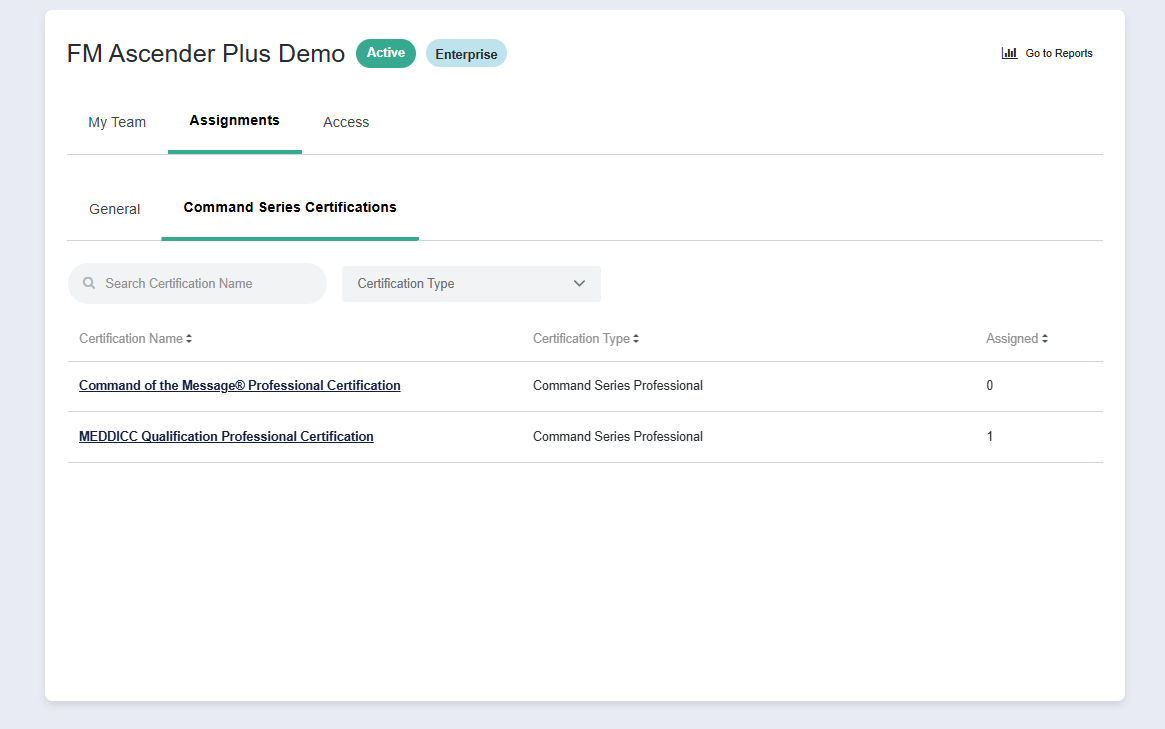
View Command Series Certification Assignment Status for Learners
Command Series Certifications are only available to assign to learners that are already enrolled in the prerequisite for that certification — an associated Fast Start Program. Attending an instructor-led training is a prerequisite for enrollment in the Fast Start Program, since this program builds on and reinforces the concepts learned at training.
Learn more: Achieve Industry Recognition with Command Series Professional Certifications
Once you click into a certification, you can see all active learners within your company split into one of three tabs based on their assignment status:
-
Assigned — Learners that are assigned to the certification.
-
Eligible for Assignment — Learners that are eligible for the certification, but have not yet been assigned.
-
Not Eligible — Learners that are not eligible for the certification, and cannot be assigned to it at this time.
Switching between these tabs will reset any selections, filters, sorting, etc that you’ve applied to the table on that tab.
Switching between these tabs will not reset the Search box - searches apply across all 3 tabs.