
We’re excited to announce an upgrade to one of the most important parts of Ascender: the learning experience itself. This update makes it easier than ever to take, complete, and confidently move through content—so learners can focus on what matters most.
A Smoother, Clearer Learning Experience
One of the most consistent pieces of feedback we heard from learners, admins, and enablement teams was that learning mechanics sometimes got in the way of progress. Too many clicks. Confusing navigation. Uncertainty about lesson completion—or whether progress had been saved. Even the best content can feel frustrating when the experience isn’t intuitive. That changes now.
What’s New in the Ascender Course Player
We’ve upgraded the Ascender course player to remove friction and deliver clarity at every step of the learning experience:
-
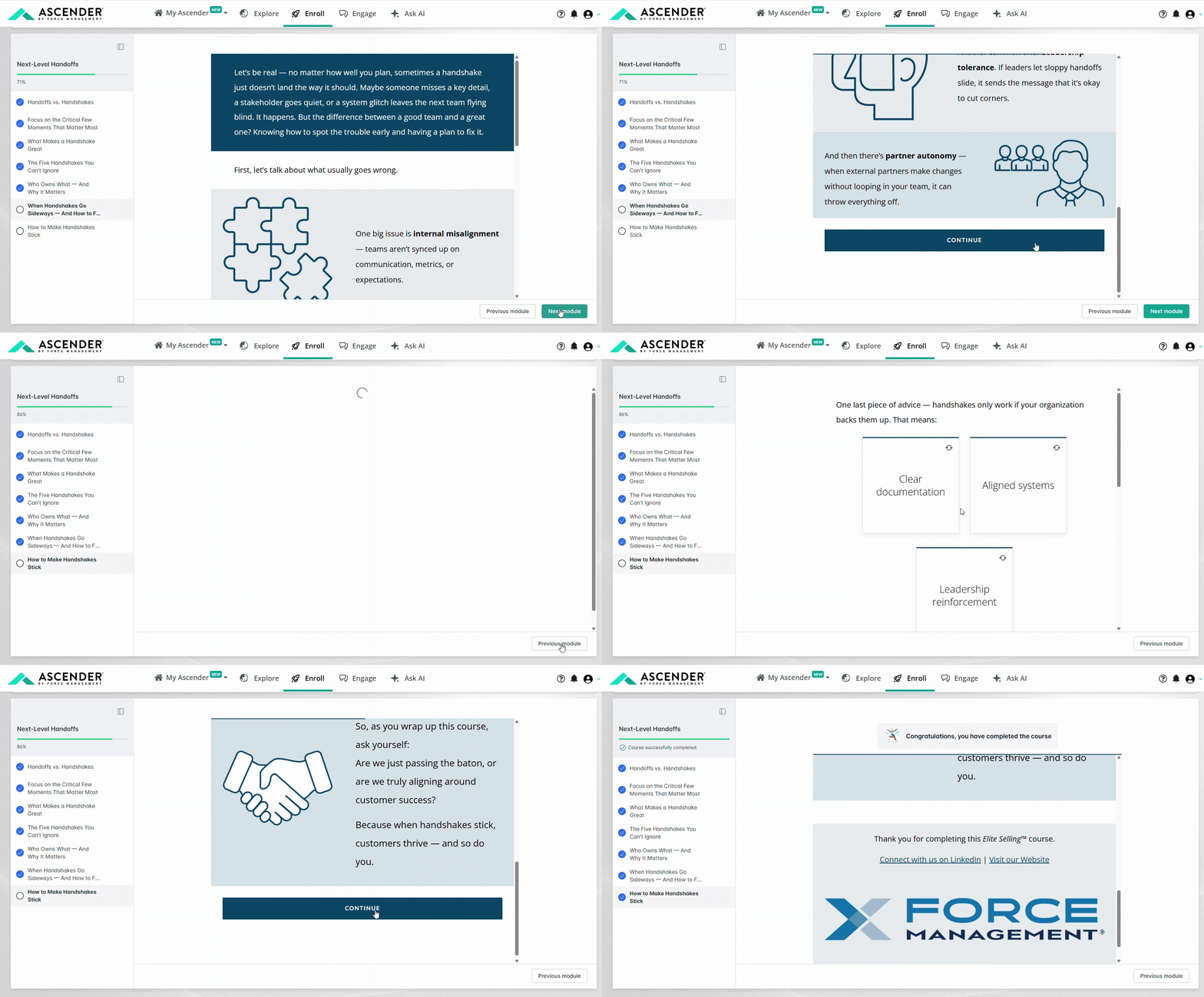
Learn more in less time – Lesson content now loads directly on the screen, eliminating two extra clicks per lesson from the previous player so you can move through content faster and stay focused.
-
Navigate with confidence – With the navigation always visible and the Next Module action placed directly below the content, it’s easier to understand where you are, where to go next, and how to progress through the course.
-
Finish with certainty – Clear completion indicators make it obvious when a lesson—or an entire course—is complete, eliminating ambiguity and false finishes.
Together, these improvements create a learning experience that feels smooth, predictable, and trustworthy—so you can focus on applying what you’ve learned.
Availability
The new course player is now available to all Pro & Plus customers.
Get Started
Visit Enroll to experience the updated course player in your next course—and let us know what you think.
This update went live on