
Buy more technology licenses or methodology access, so that you can add more users to the platform and/or the methodology.
Applies to: Plus plans | Access Needed: Authorize Purchases admin permissions
Instructions
View Current License Usage
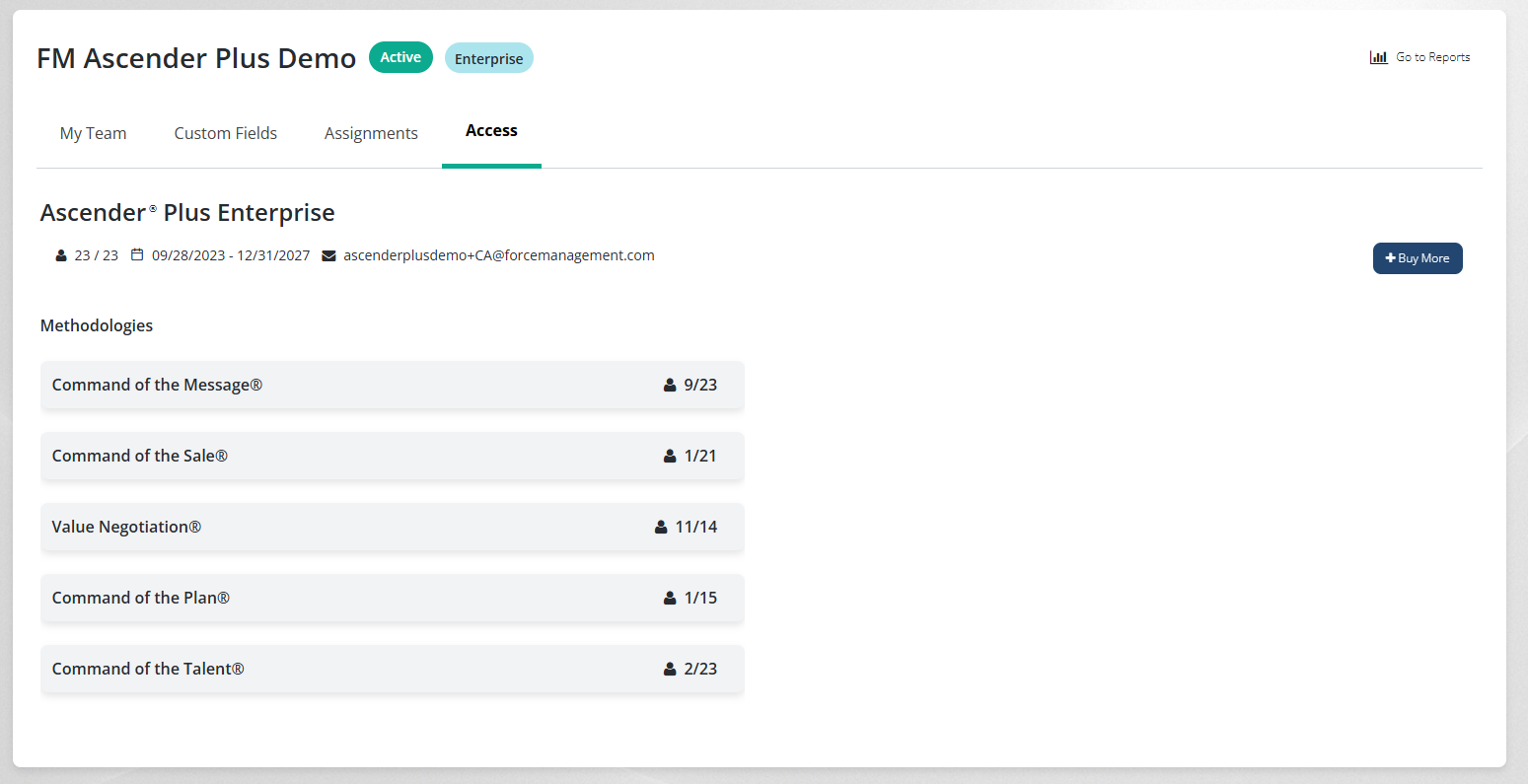
You can view your current license scope and usage at any time via the Access tab within Team Management. The tab also lists the email addresses of all users that have permissions to authorize purchases (users that have the Buy More action available to them).
Buy More Licenses
via 
-
Select Buy More.
-
For each technology license or methodology access row, enter the number of licenses you’d like to buy.
-
Select Continue.
-
Select Confirm Purchase.
If any of your methodologies are on an Enterprise License Agreement (noted in the Buy More Licenses window as Subject to ELA*), then you will need to contact your FM account manager to buy more licenses for that methodology.
This will trigger a purchase confirmation email to you and the licenses will appear as available for use right away.
Additional Information
-
All technology subscriptions will begin on the 1st of the month of purchase and will be prorated to be coterminous with the existing subscription term. All fees will be included in your next invoice.
-
Made a mistake? Contact us within three (3) business days of the purchase by forwarding the purchase confirmation email to techsupport@forcemanagement.com and including details about what needs to be fixed.