
This guide outlines best practices for reps using Force Management methodologies within Opportunity Manager®, helping you advance deals, maintain consistent data quality, and improve coaching opportunities.
Use Opportunity Manager Regularly
Use Opportunity Manager when you are:
-
Working through active Opportunities
-
Preparing for deal reviews or internal handoffs
-
Trying to identify gaps in your sales strategy
Utilize any available AI Notetaker tool for the most efficient data capture in OM (Winn.ai, Gong, Momentum etc.)
Keep Your Entries Simple and Consistent
For all text fields within Opportunity Manager:
-
Use short, concise bullet points and maintain consistent formatting for readability
-
Ensure anyone reviewing your opportunity can quickly understand deal status
-
Avoid leaving key fields blank when information is known
-
If your organization uses both Command of the Message® and MEDD(P)ICC in Opportunity Manager:
-
Use the “Copy From…” button to automatically transfer your entries across overlapping fields
-
This prevents redundant work and maintains consistency across both methodologies
-
In CoM: Reference your Value Framework or Discovery Guides to ensure messaging aligns with your organization’s story and leadership vision.
Leverage the Guided Assessments:
-
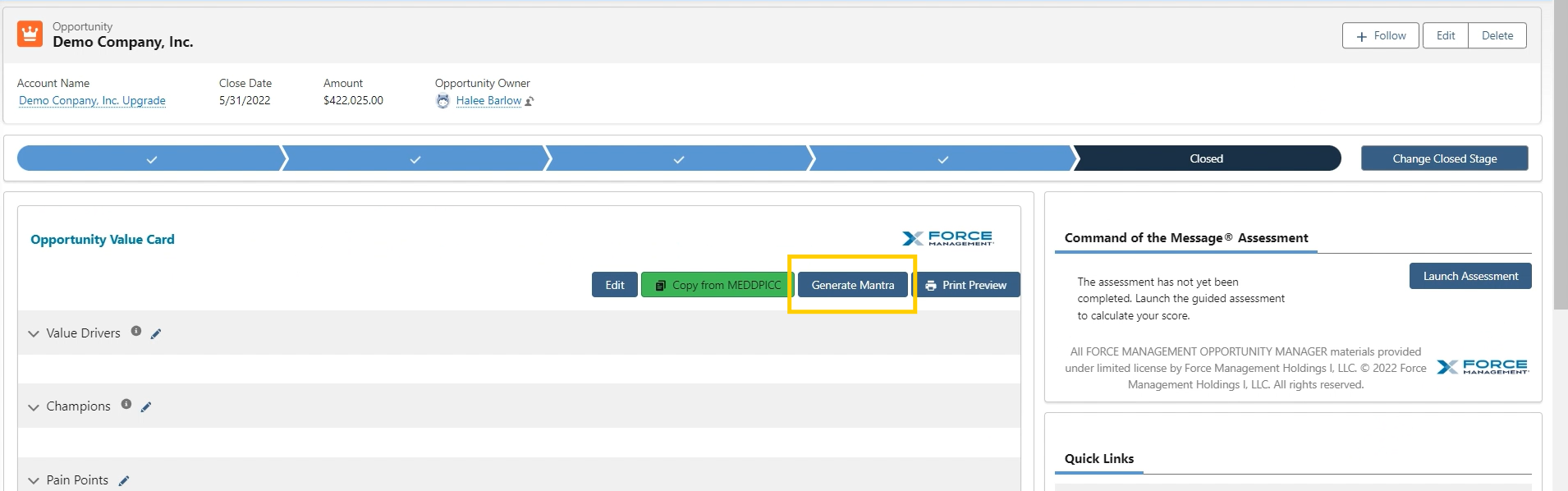
To complete a guided assessment, select the Launch Assessment button on the opportunity page
-
Complete a self-guided, multi-step assessment to evaluate the health, risk, and maturity of a deal.
-
If your deal feels stalled—e.g., the close date has been pushed back multiple times or you’ve regressed in the sales process— you can leverage the Guided Assessments to:
-
Act as virtual coaching sessions
-
Help you identify strengths, risks, and gaps
-
Support clarity on next steps for opportunity progression
-
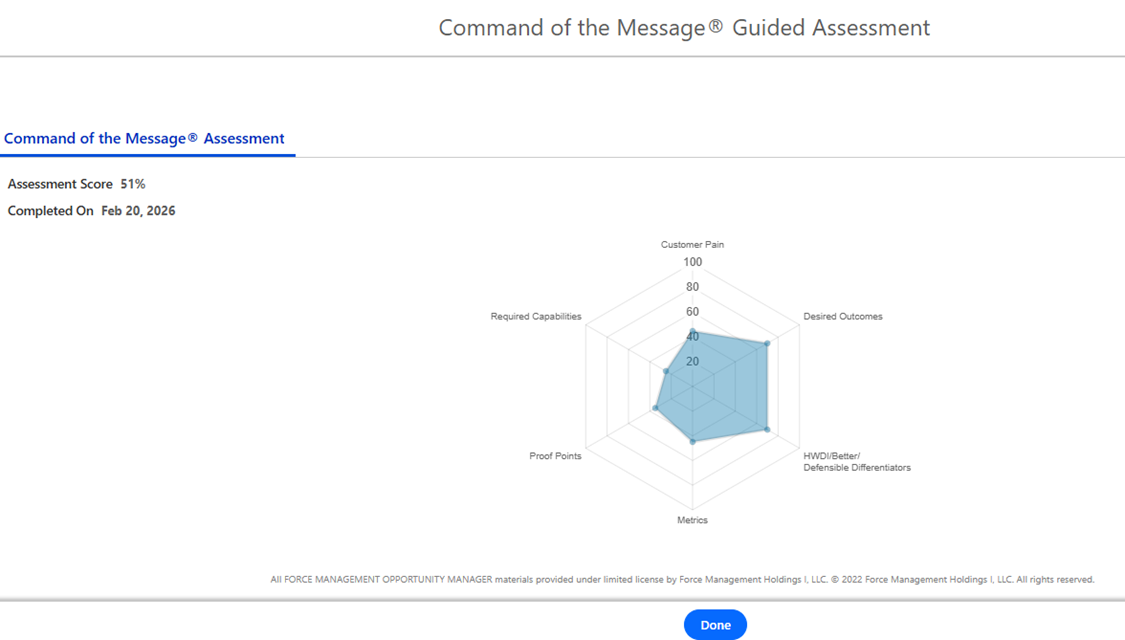
Get Coaching Often
-
Establish a regular cadence with your manager for completing Guided Assessments
-
Review assessment outcomes during deal reviews for richer, more actionable coaching
-
Periodically analyze assessment scores from lost/disqualified deals to identify patterns and growth opportunities
-
If you're missing required details, work with your manager on how to gather that information and move the opportunity forward
Use the Mantra
Included with: Command of the Message licenses
-
Use the Generate Mantra feature to quickly summarize Command of the Message details
-
The generated summary is useful for internal sharing or sending externally to prospects
-
-
Keep your Mantra up to date—it helps guide future sales conversations and supports crisp internal and external alignment
-
To generate or update the Mantra, select the Generate Mantra button on the opportunity page
📋 Related Articles