Manager Coaching & Feedback
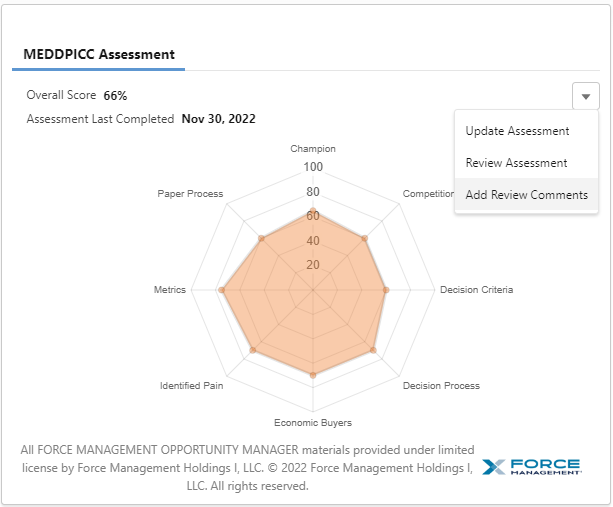
Managers can provide feedback, coaching, and next steps to sellers after reviewing a Guided Assessment. From the completed assessment click on the caret on the right had side and choose “Add Review Comments”.
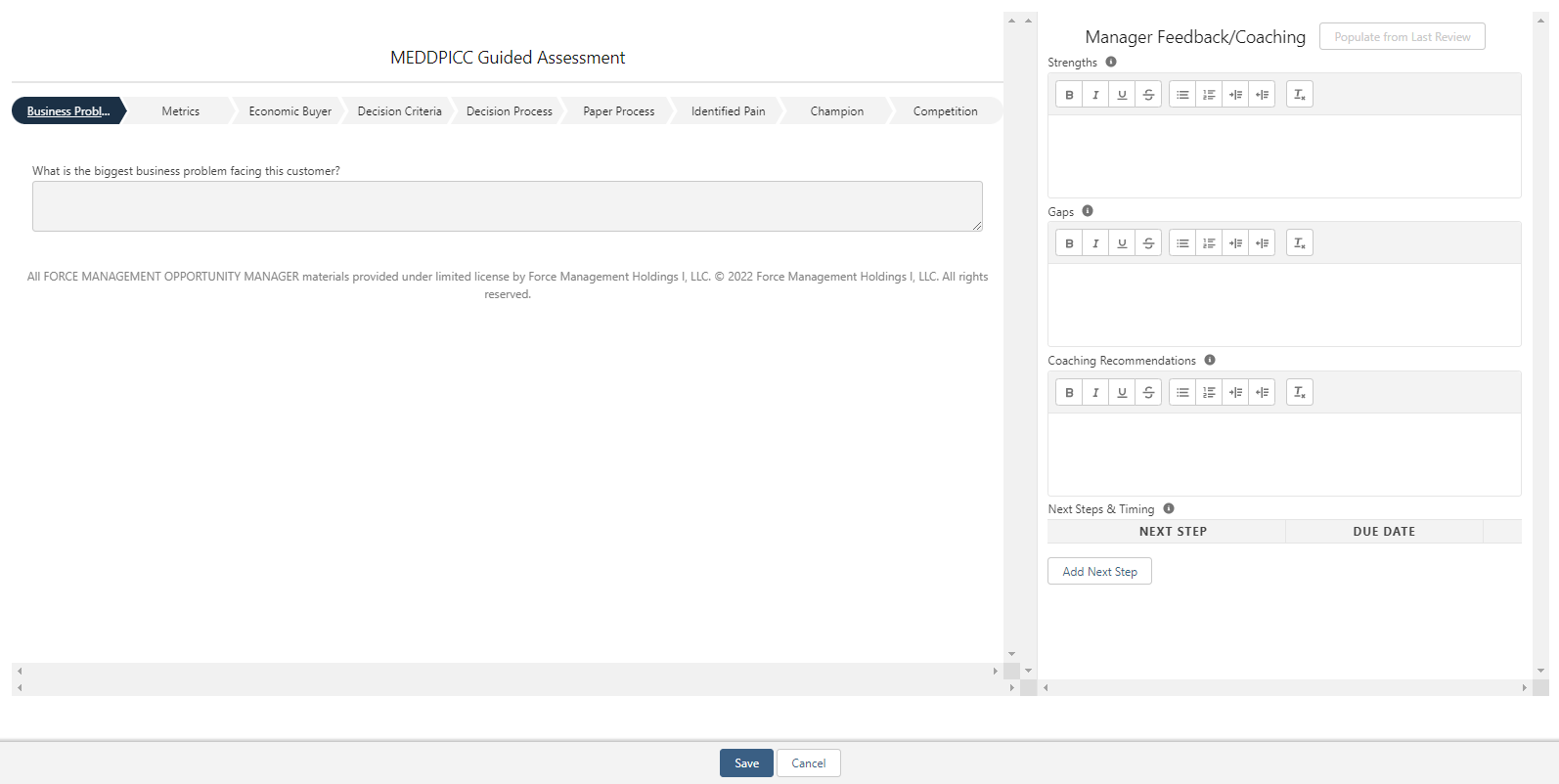
Doing so will prompt a pop-up to appear like the screenshot below. Managers will be able to review Rep’s assessment responses by clicking through the sections of MEDDPICC shown at the top left (Business Problem, Metrics, etc.). Then Managers are able to enter free-text in the Strengths, Gaps, and Weaknesses fields to the right. Finally, Managers can click the “Add Next Step” button to type in an action item for their Reps and select a due date. Once saved, this task will go to the Reps activity list within SFDC.