
From the App Launcher → FM Opportunity Manager app → Opportunity Manager Configuration tab → Open Support Case button
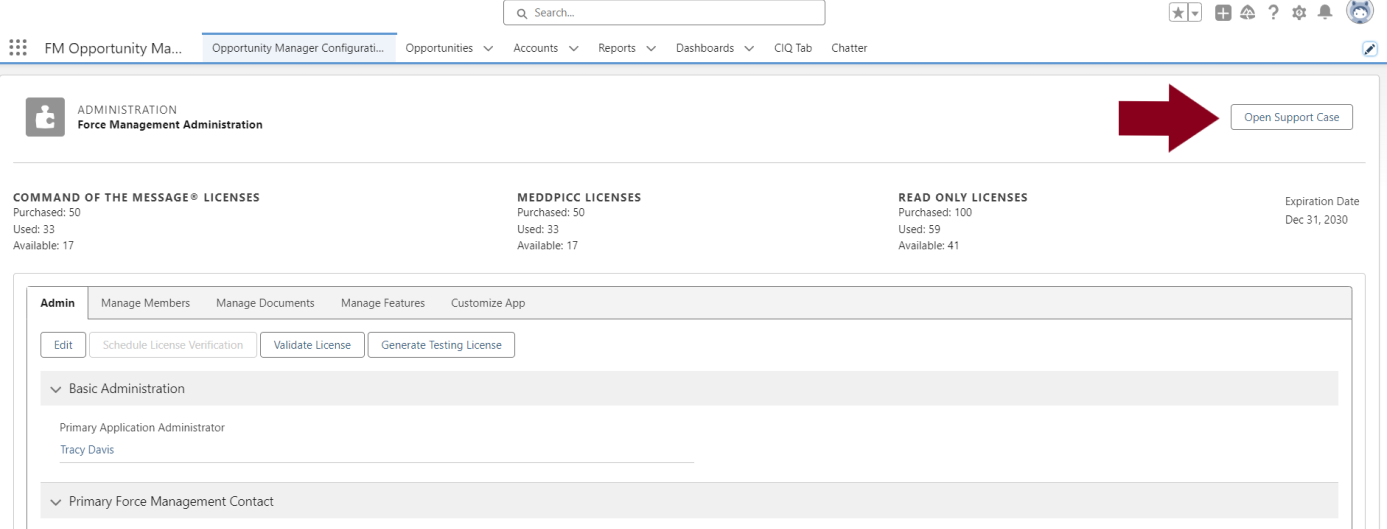
Open Support Case
By clicking the ‘Open Support Case’ button on the configuration window, client admins will be able to complete and submit a support case to the OM Admin. When submitting a support case, the admin can select from the following ‘Types’ of support cases:
-
Feature Request
-
Support Issue
-
General Feedback
When submitting a support case or providing feedback, please include as much detail and information as possible to assist us in our ability to respond quickly and effectively.